




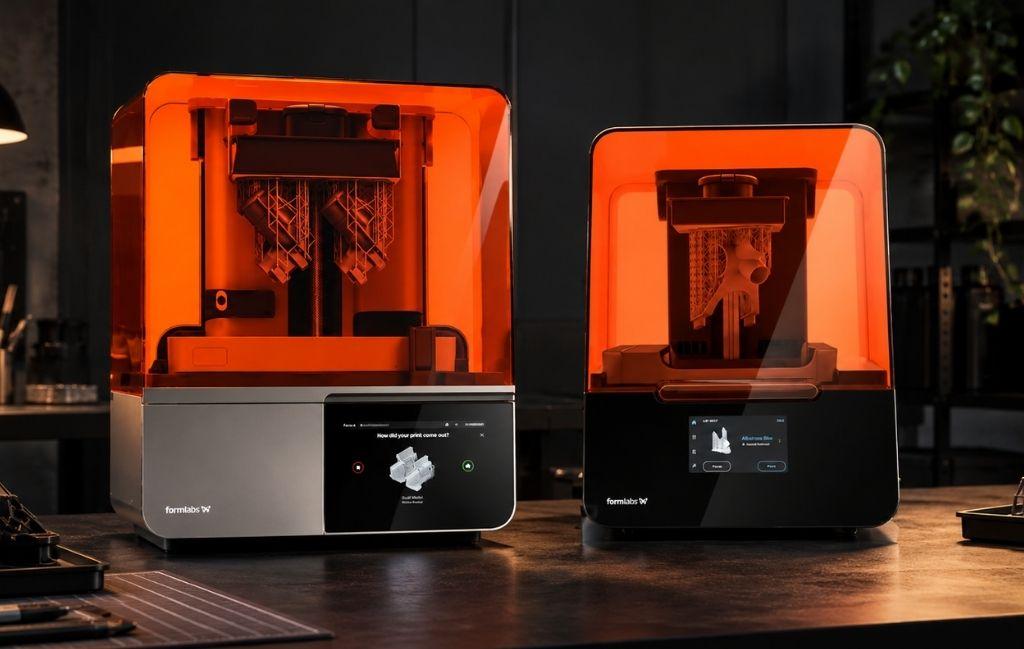
If you already own a Form 3+, the arrival of the Form 4 raises an obvious question: is it worth upgrading, or is your current printer still the right tool? Formlabs has discontinued the Form 3+, though it remains supported, and has positioned the Form 4 as its successor with a different print engine and a large jump in speed. This Formlabs Form 4 vs Form 3+ comparison sets out what actually changed, so you can judge the upgrade against your own workload rather than against marketing figures.
The short version is that the Form 4 is faster and more productive, but the decision is not automatic. Your print volume, your resin stock, and how well the Form 3+ already serves you all feed into it. Both are desktop SLA (Stereolithography) machines, and here is where they part ways.
Formlabs Form 4 vs Form 3+: what actually changed?
The core change is the print engine. The Form 3+ uses LFS (Low Force Stereolithography), a laser-based method where a Light Processing Unit (LPU) steers a 405-nanometre laser across a flexible tank to draw each layer point by point. It is accurate and gentle on parts, but tracing a layer with a moving laser takes time.
The Form 4 switches to MSLA (Masked Stereolithography), which Formlabs calls its LFD (Low Force Display) engine. Instead of a laser, a high-power LED array shines through a monochrome LCD that masks the whole layer at once. Because the entire cross-section cures in one flash rather than being traced line by line, print time barely changes as you fill the build area. That single shift drives almost every other difference in a Formlabs Form 4 vs Form 3+ comparison, from speed to maintenance.
How much faster is the Form 4?
Speed is the headline. Formlabs quotes the Form 4 as roughly 3.5 times faster than the Form 3+ across all materials, with most prints finishing in under 2 hours.
- Average build speed is about 40mm of height per hour, against roughly 11mm per hour on the Form 3+.
- Depending on the material, the Form 4 ranges from 15 to 100mm per hour.
- A print that took 11 hours on the Form 3+ can finish in around 90 minutes on the Form 4.
For a busy bureau or a design team iterating several times a day, that is the difference between one cycle and several. If your Form 3+ is the bottleneck in your day, this is the number that matters most, because it turns overnight waits into same-morning results.
Build volume and part size
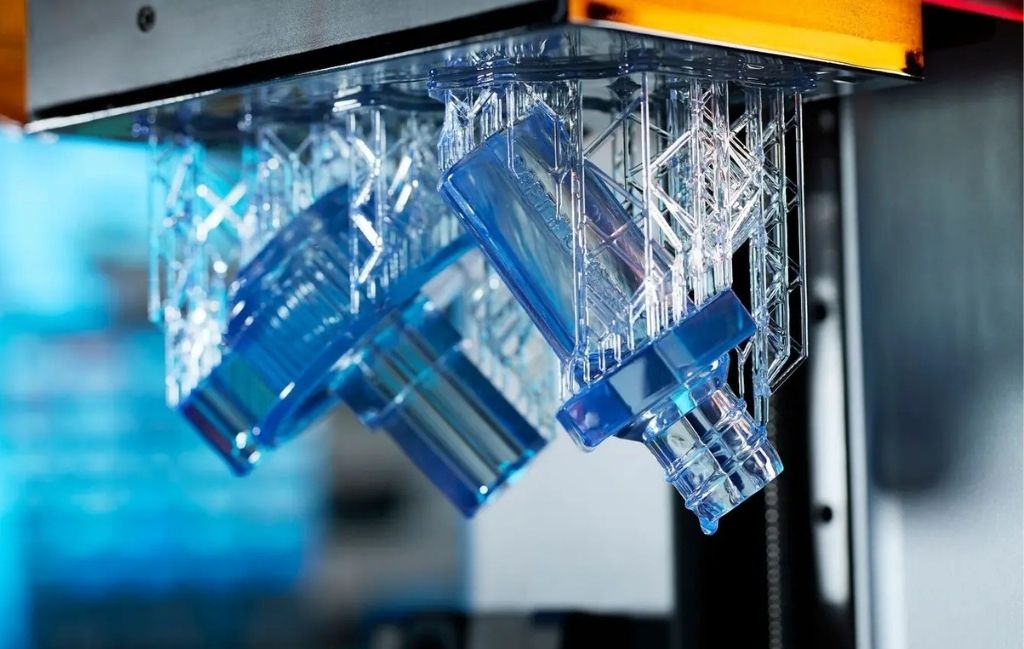
The Form 4 gives you more room, but the shape of that room changed. The Form 3+ has a build volume of 145 x 145 x 185mm, or 4.05 litres. The Form 4 offers 200 x 125 x 210mm, which is 5.25 litres, about 30% more space overall.
Look closely at the axes, though. The Form 4 is longer and taller but narrower in one direction, at 125mm against the Form 3+’s 145mm. A tall or long part gains room, while a wide, square-footprint part could actually be tighter on the Form 4. As an example, a 140mm-wide bracket that sat flat on the Form 3+ bed would not fit across the Form 4’s 125mm axis, and would need reorienting. If your typical parts are broad and flat, check them against the 125mm dimension before assuming the upgrade gives you more space for that shape.
Detail, accuracy, and finish
Both printers produce the fine detail Formlabs is known for, and both print down to 25-micron layers. The Form 4 uses a 50-micron pixel size with pre-tuned anti-aliasing, which softens the stepping on curved and angled surfaces.
On dimensional accuracy, the Form 4 is quoted by feature size:
- Features from 1 to 30mm: ±0.15%, with a lower limit of ±0.02mm.
- Features from 31 to 80mm: ±0.2%, with a lower limit of ±0.06mm.
- Features from 81 to 150mm: ±0.3%, with a lower limit of ±0.15mm.
In practice, both machines hold tight tolerances for a desktop resin printer. The Form 4’s advantage is less about raw accuracy and more about reaching that accuracy far faster and more consistently across a full build.
Materials: what carries over and what doesn't
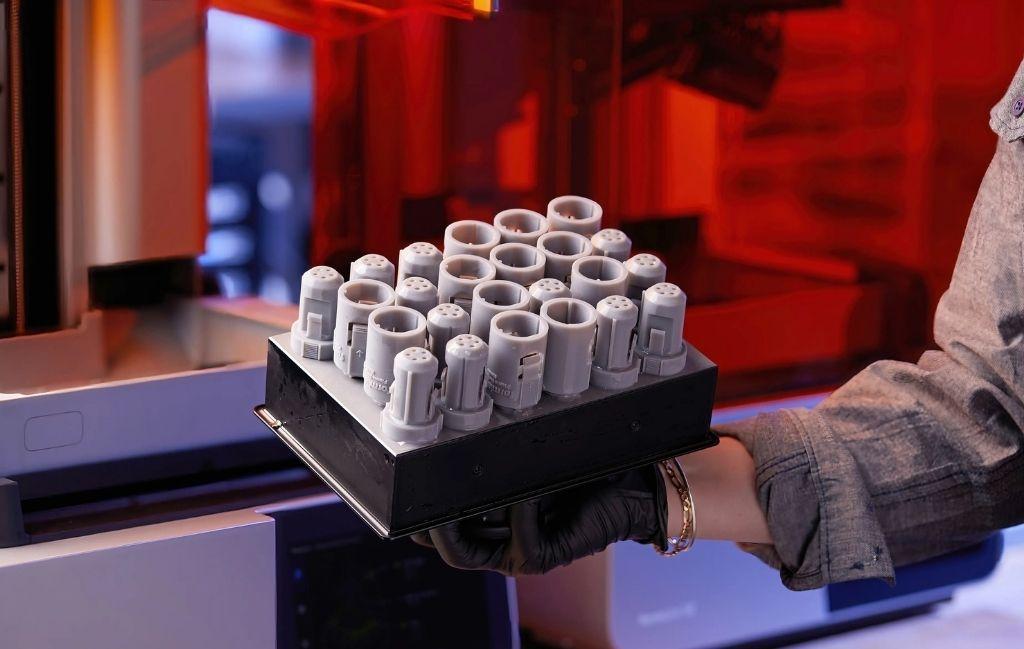
This is the part existing owners most often overlook. The Form 4 launched with six new resins, and Formlabs redesigned its General Purpose Resins to cost roughly 47% less than the Form 3+ equivalents while performing better. The cartridges are new too, spill-free and using less plastic for the same 1-litre capacity, with much faster automatic filling.
The catch is that the Form 4 uses its own resin tanks and cartridges. Your existing Form 3+ tanks and resin stock do not transfer. If you have shelves of Form 3+ resin or a specific validated material your work depends on, factor that into the sum. The Form 4 also supports third-party materials through an Open Material Mode, which widens your options beyond the Formlabs range, but check that the Formlabs resins you rely on exist for the Form 4 before you commit, since the material library moved on with the new engine.
Reliability and maintenance
Reliability is a quieter part of the Formlabs Form 4 vs Form 3+ story, and it cuts both ways. The Form 4’s MSLA engine has fewer moving parts than the Form 3+’s laser and galvanometer system, and it adds sensors that watch print conditions, which lifts the success rate on long or complex jobs. Fewer moving parts also means less that can wear or drift out of alignment over time.
Against that, the LCD masking panel is a consumable. Rated at up to 1.9 million layers, it will eventually need replacing, which is a maintenance cost the laser-based Form 3+ does not carry in the same way. Neither printer is demanding to look after, but the nature of the upkeep differs. Plan for occasional LCD replacement on the Form 4, and for the usual tank and optical care on the Form 3+.
Workflow and software
Both printers run through PreForm, Formlabs’ preparation software, and both connect to an online dashboard where you can monitor jobs and track resin and tank usage remotely. Day to day, the Form 4 tightens the routine around the print. Its swappable cartridges fill the tank faster and with less mess, and the resin mixer keeps material consistent without hands-on effort.
For teams pushing volume, the Form 4 also supports automation that lets prints run back to back with less operator input, which suits overnight or lights-out production. The Form 3+ workflow is proven and familiar, but the Form 4 shaves minutes off each cycle at almost every step, and those minutes add up across a busy week.
Formlabs Form 4 vs Form 3+ on cost and running costs
The purchase price is only part of the picture. At the time of writing, the Formlabs Form 4 Basic Package sells for around £2,610 including VAT, and prices shift, so check the current figure before budgeting.
Running costs cut both ways:
- Resin is cheaper on the Form 4, with General Purpose Resins roughly 47% less than the Form 3+ equivalents, which adds up over a year of steady printing.
- The MSLA light engine uses an LCD that is a wear part, so budget for it as an occasional consumable across the machine’s life.
- Faster prints mean lower machine occupancy per part, which matters if printer time is the constraint on your output.
For high-volume users, the resin savings and the speed usually outweigh the LCD replacement over time. For light users, those savings take longer to show up, which is why the Formlabs Form 4 vs Form 3+ sum looks different depending on how hard you run the machine.
To put the resin saving in context, imagine a studio getting through 12 litres of General Purpose Resin a year. A cut of around 47% on that material alone is a meaningful annual saving, and it lands every year rather than just once. Set that recurring saving against the one-off cost of an occasional LCD replacement, and the picture usually favours the Form 4 for anyone printing steadily. For a printer that runs only now and then, the same sum takes far longer to tip.
What about Form 4B and Form 4L?
If your work has outgrown a standard desktop resin printer, the Form 4 family goes further. The Form 4B is the biocompatible version aimed at dental and medical work, with a materials library cleared for those uses. The Form 4L is the large-format model for bigger parts, printing sizeable prototypes in under 6 hours. For most existing Form 3+ owners the standard Form 4 is the natural step, but it is worth knowing the range if your applications are moving toward medical, dental, or large-format work.
Should you upgrade? Making the decision
Strip away the specs and the choice is about how you work. Upgrading makes clear sense if:
- Speed limits your output, and you often wait on prints.
- You run the printer daily or produce parts in volume.
- Lower resin costs would add up meaningfully across a year.
- Longer or taller parts suit your work better than wide, flat ones.
Holding on to the Form 3+ is reasonable if:
- It already meets your needs and print speed is not a pain point.
- You have significant investment in Form 3+ resin or a validated material not yet matched on the Form 4.
- Your parts are broad and flat, where the narrower 125mm axis could work against you.
- Your volume is low enough that the running-cost savings would take years to repay the outlay.
There is no shame in keeping a Form 3+ that still does the job. The Form 4 is the better machine on paper, but “better” only counts if the improvements match what you actually print.
Final thoughts
The Formlabs Form 4 vs Form 3+ decision really comes down to speed and throughput against cost and continuity. The Form 4 prints several times faster, gives about 30% more volume, and runs cheaper resin, which makes it a strong upgrade for anyone whose Form 3+ has become a bottleneck. The Form 3+ still holds its own for lighter workloads and for owners with resin stock and validated materials they are not ready to leave behind.
If you are weighing it up, the best test is your own parts. Our team can print a sample of your typical work on a Form 4 so you can compare the speed and finish against your current results before spending anything. If you would rather test the water without buying at all, a print service lets you put Form 4 output through real jobs first.