




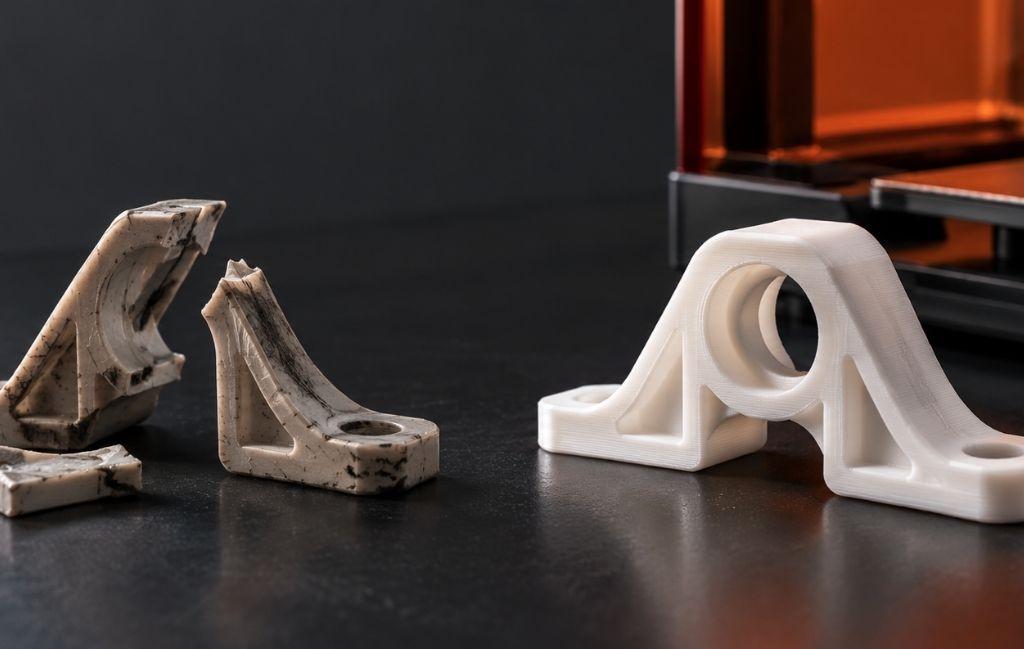
A single broken plastic clip can take a machine out of service, and the frustrating part is how often the fix is held up by the part itself. The manufacturer has discontinued it, the lead time runs to weeks, or the price for a scrap of moulded plastic is out of all proportion to the job it does. 3D printing spare parts offers a way around all three, letting you produce a replacement in hours rather than waiting on a supply chain that may no longer exist.
This article covers when 3D printing spare parts makes sense, when you are better off buying new, and how to weigh the two. It looks at which parts suit printing, how to capture the geometry, which materials stand up to the job, and where the limits lie.
When does 3D printing spare parts make sense?
Printing a replacement earns its place in a handful of clear situations:
- The part is obsolete. Older equipment often outlives its spare parts supply, and 3D printing spare parts brings discontinued components back within reach.
- Lead times are long. When an official part is weeks or months away, printing one the same day keeps the machine running.
- The price is out of proportion. A simple knob, clip, or bracket can carry a surprising markup as an official spare, where a printed version costs pennies in material.
- You only need one. Traditional manufacturing is built for volume, so a one-off replacement is exactly where printing shines.
- You can improve the original. A part that failed once will fail again, so reprinting it in a stronger material or a better design can outlast the part it replaces.
If any of those apply, printing is worth a serious look before you order new.
When is it better to buy new?
Printing is not always the right answer, and knowing where it stops is part of using it well. Buy the proper part when:
- Safety or regulation is involved. Load-bearing, pressure-holding, electrical, or certified parts should not be improvised, and a printed substitute could be dangerous or against the rules.
- The part faces heat, chemicals, or loads beyond plastic. Some jobs need metal or a specific engineered component, and no desktop print will match it.
- It is a cheap, standard item. Bearings, fasteners, seals, and O-rings are made to standards and cost little, so just buy them.
- The equipment is beyond economic repair. If the machine is failing in several places, a printed part only delays the inevitable.
Honesty here protects you. 3D printing spare parts is a strong tool for the right jobs, not a blanket replacement for proper components.
One more thing worth checking is warranty and ownership. Fitting a printed part to equipment still under warranty can affect that cover, so weigh it up on newer machines. Copying a part to repair your own kit is also a different matter from reproducing a patented design to sell, which strays into intellectual property you do not own. For your own ageing equipment, though, a repair is usually well within bounds.
Weighing repair against replace
When the case is not obvious, a few quick questions settle it:
- What does downtime cost? If the machine earns money every hour, a fast printed fix can be worth it even when a bought part would be marginally better.
- How long is the alternative? Compare the time to design and print against the lead time to buy.
- Do you have the geometry? An existing CAD (Computer-Aided Design) model makes printing quick. Without one, you need to measure or scan the part first.
- Can you match the material? The replacement has to survive the same heat, load, and wear as the original, so the material matters as much as the shape.
- Does the fit matter? A loose bracket is forgiving, while a gear or a precise mount needs tighter tolerances.
As a rough example, if a production line earns £500 an hour and a broken guard would keep it down for 2 days waiting on an official part, a printed guard that gets it running the same afternoon is worth far more than the few pounds of filament it costs. When downtime is the real expense, the printed part often wins even as a stopgap until the official one arrives.
Which parts are worth printing?
The best candidates are non-critical, simple in shape, and made of plastic in the first place. Common wins include:
- Knobs, dials, buttons, and handles.
- Clips, clasps, brackets, mounts, and spacers.
- Housings, covers, guards, and trim panels.
- Low-load gears and pulleys in a wear-resistant material.
- Obsolete plastic fittings on older appliances and machinery.
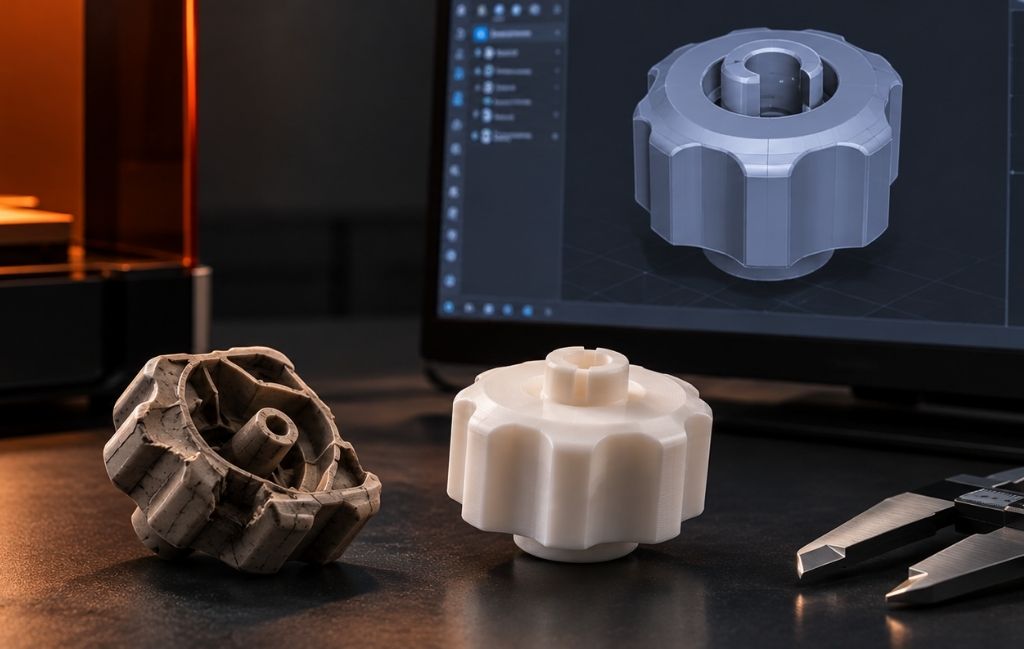
Parts that take moderate load and live indoors are the sweet spot. A knob that snapped off a decade-old control panel, for instance, is a five-minute model and a quick print, where the manufacturer may not even list it any more. The further you move toward high heat, heavy load, or safety-critical duty, the more carefully you need to think, and at some point buying new wins.
Getting the geometry: CAD and 3D scanning
You cannot print what you cannot model, so capturing the part is the first practical step.
Measure and model
For a simple part, a set of digital callipers and a CAD package are enough. Measure the key dimensions, model the part, and print a test to check the fit. This is quick for boxy or symmetrical shapes. Add a small clearance on mating surfaces so the part slides home rather than binding, and expect to print a test or two before the fit is right. A first attempt that is slightly off is normal, and adjusting a dimension in CAD takes seconds.
3D scanning for complex shapes
When a part is organic, curved, or too intricate to measure by hand, a 3D scanner captures its shape directly. A scanner such as the Shining 3D Einstar 3D scanner produces a mesh you can clean up and turn into a printable model, which saves hours of measuring on a complicated component. Scanning also helps when you need to match a mating surface exactly.
Either way, keep the finished model. Once a part exists as a file, printing another is trivial.
Choosing a process for spare parts
Most repair work sits with one of three processes:
- FFF (Fused Filament Fabrication) melts and deposits plastic filament, and it handles the majority of functional spares. It prints tough engineering materials at a low cost and in useful sizes, which makes it the default for brackets, housings, and guards. Printers from Bambu Lab 3D printerscover most of this work.
- SLA (Stereolithography) cures liquid resin for fine, detailed parts. It suits small precise spares where surface finish and crisp features matter more than toughness.
- SLS (Selective Laser Sintering) fuses nylon powder without supports, producing durable functional parts that handle repeated use well.
Match the process to the part. Functional, load-bearing spares usually mean FFF or SLS in a tough material, while SLA earns its place on the small, detailed pieces.
Choosing the right material for a spare part
Matching the material to the job is where printed spares succeed or fail. Pick for the conditions the part will face:
- PLA. Cheap and stiff, but poor with heat and sustained load, so it suits low-stress indoor parts only.
- PETG. Tougher than PLA with some moisture and chemical resistance, a sensible default for many spares.
- ABS or ASA. Better heat resistance, with ASA holding up outdoors against sunlight, though both want an enclosed printer.
- Nylon. Tough and wear-resistant, which suits gears, bushes, and living hinges.
- Polycarbonate. High heat resistance and strength for demanding parts.
- Carbon or glass-fibre reinforced filaments. Added stiffness for structural spares.
For parts that need to stand in for metal, composite printing goes further. Machines from Markforged use CFR (Continuous Fibre Reinforcement), laying continuous carbon or glass fibre inside the part to reach strengths that plain plastic cannot. A steady stock of engineering-grade 3D printing filament covers most everyday repairs.
Know the limits of a printed part
A printed spare is not always a like-for-like copy, and treating it as one causes trouble. Printed parts are anisotropic, meaning they are weaker along the layer lines than across them, so how you orient a part on the bed affects how much load it can take. Plastics also creep, slowly deforming under sustained load or heat, which can matter for a part that carries weight all day.
Before you rely on a printed spare, test it. Check the fit, then load it the way the real part is loaded and watch for flex or failure. For anything that runs hot, confirm the material’s heat resistance covers the working temperature, because a part that softens in service is worse than no part at all. Used with that care, a printed spare is dependable. Trusted blindly, it can let you down at the worst moment.
3D printing spare parts on demand: the digital inventory
The biggest shift is not any single repair. It is treating your spares as files rather than shelves. Once you have modelled or scanned the parts that fail most often, you hold a digital inventory that you print on demand, which cuts the stock you carry and the space it takes up.
This approach, sometimes called digital warehousing, suits maintenance, repair, and operations (MRO) work well. Keep validated files for your critical spares, note the material and settings that worked, and you can produce a known-good replacement whenever one breaks.
A practical way to start is to log the parts that have failed before. Each time you fix something, model or scan it, print the replacement, and file the working version with a note on the material and settings. Within a few repair cycles you build a small library of the spares your equipment actually needs, rather than trying to model everything at once. If you lack the kit for a particular job, a print service can produce the part from your file. Over time, 3D printing spare parts on demand turns a reactive scramble into a planned, repeatable process.
Final thoughts
3D printing spare parts is at its best when the official route has let you down: a discontinued component, a long lead time, or a plastic part priced far beyond its worth. For simple, non-critical parts on ageing equipment, printing a replacement is often faster and cheaper than the official route, and easily good enough, as long as you match the material to the job and test the fit before relying on it.
The judgement is knowing where it stops. Leave safety-critical, high-load, and certified parts to proper components, and print the knobs, clips, brackets, and housings that keep machines usable. Start by modelling or scanning the parts that fail most, build a small digital inventory, and you will spend less time waiting on suppliers. If you want help choosing a printer, scanner, or material for repair work, our team can talk it through.